Your health records, on your phone
When your doctor or clinic uses Rinova, you get your own patient portal: book visits, keep every prescription and lab report, pay online, and look after your family from one account.
Switch to
- Rahim UddinYou
- Ayan UddinSon, 9 yearsOpen
- Rokeya BegumMother, 71 years
Ayan's next visit
Dr. Farhana Haque, Paediatrics
Sat 14 Nov, 5:30 PM
One visit, from booking to prescription
Follow a visit from the first tap to the prescription in your portal. Switch between going to the clinic and a video call.
You pick a time, choose In person and say why you're coming.
What you can do in the patient portal
- Book a visit
- Pick a doctor and a free time and book it yourself. Cancel a visit that has not happened yet. Video visits come with a Google Meet link by email.
- Your prescriptions
- Every visit's summary and prescription stays in the portal, so a lost paper prescription is not a lost prescription.
- Lab results on your phone
- See your results as soon as the lab releases them and download the report, without going back to the clinic.
- Pay online
- See your bills and receipts, and pay online by card or mobile banking where your clinic offers it.
- You decide who sees your records
- Approve or decline when another clinic asks to see your records, see who has access, and take it back at any time.
- No password to remember
- Sign in with a six-digit code sent to your email. It works for a few minutes and only once.
Look after your family from one account
Parents and carers switch to a child's or an older parent's records from the account menu, without signing in again.
- One sign-in for the family
- Book your son's visit, see your mother's reports and pay their bills from your own account.
- Always clear whose records are open
- A banner shows whose records you are viewing until you switch back to your own.
- Set up by the clinic
- The clinic links you as guardian. If that permission is taken back, the access ends straight away.
How to join
You join through your clinic. There is nothing to pay.
Step 1: Your clinic invites you
Your clinic registers you, or gives you its link to register yourself before your first visit.
Step 2: Register with your email
Give your name, date of birth, sex and email. Anyone 13 or older can register.
Step 3: Sign in with a code
We email you a code each time you sign in. Your visits, prescriptions and reports are waiting.
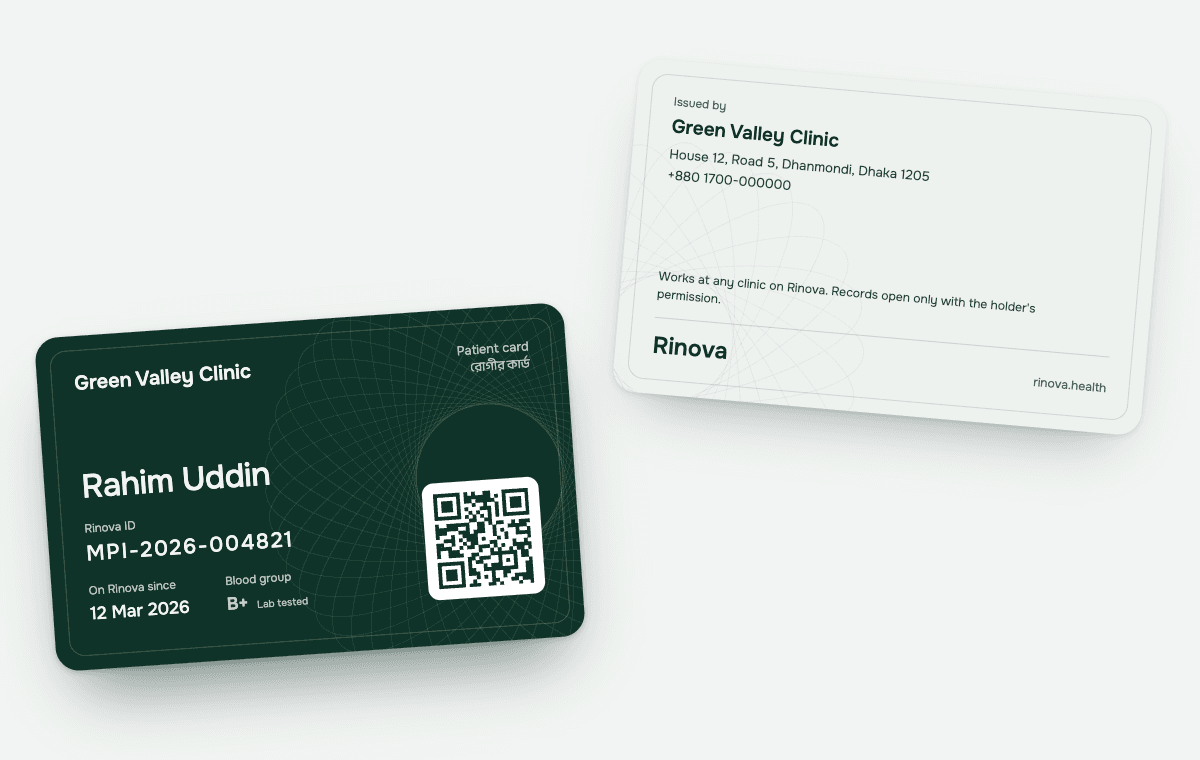
Your Rinova patient card
One card for every clinic on Rinova. Open My card in the patient portal, then show it at the front desk or print it. The clinic scans the code or types your Rinova ID to find you.
The code holds only your Rinova ID. There are no medical details on the card, and a clinic sees your earlier visits, prescriptions and reports only with your permission.
You decide who sees your records
A doctor sees the visits they took part in. For the rest of your record, they have to ask you first.
Dr. Mahmud Hasan has no visit with this patient, so the record is locked. He asks for consent.
In an emergency, a doctor can open your record for 24 hours without waiting for you. You are told, and you can challenge it.
Is your doctor not on Rinova yet?
Tell your doctor or clinic about Rinova. They can try it free at rinova.health.